CryptoFlow
Live crypto terminal with real Binance streams and a violet command-deck UI.
- Vue 3
- TypeScript
- Pinia
- Tailwind CSS
- ECharts
- Vue Router
- TanStack Table
- VueUse
- Vite
- CoinGecko API
- Binance WebSocket
Overview
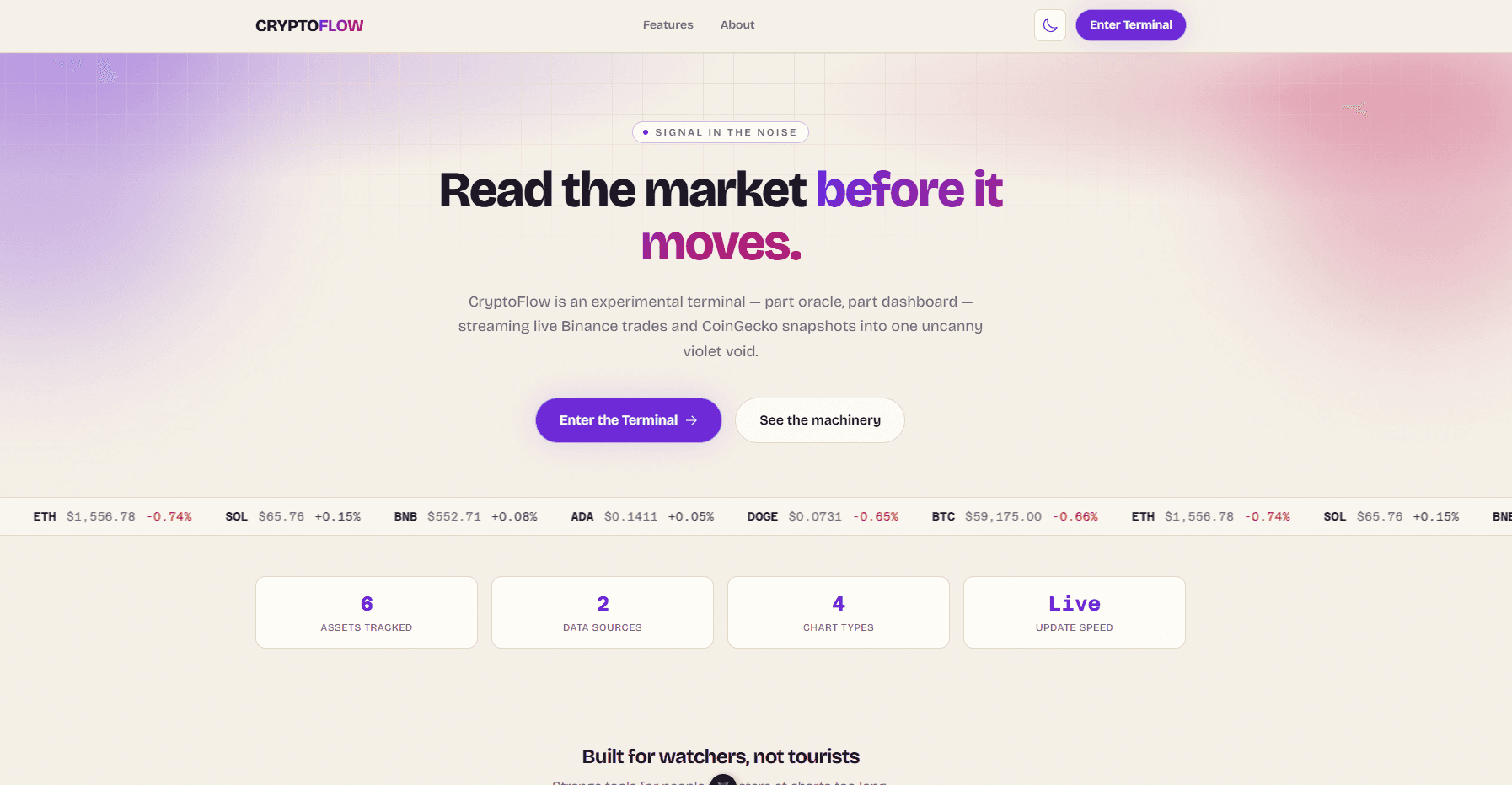
CryptoFlow is a live crypto trading terminal built with Vue 3. It combines CoinGecko market snapshots for initial prices with real-time Binance aggTrade WebSocket feeds, renders multi-format ECharts in a bento-grid layout, and surfaces large trades in a filterable activity feed — all wrapped in an Aurora Ink theme with a sidebar command deck, onboarding tour, optional trade sounds, and Oracle Mode for cryptic dark-mode copy.
Problem
Most portfolio crypto demos use mocked tickers or static charts — they look polished but don't exercise the hard parts of a live dashboard: WebSocket lifecycle, high-frequency price updates without thrashing the UI, separating snapshot data from stream data, and keeping a dense terminal usable on first visit. I wanted a dashboard that feels like a real command deck while staying honest about what it is: a read-only demo wired to public APIs, not a trading platform.
Approach
I split the data layer into three pieces: CoinGecko REST for bootstrap prices, a Binance WebSocket client with reconnect logic for live trades, and a thin `dataStream` coordinator that registers store handlers and filters noise before it hits the UI. Pinia owns coins, chart series, and the activity feed; `shallowRef` keeps chart arrays from triggering deep reactivity on every tick. Composables handle cross-cutting concerns — theme, Oracle Mode, trade sounds, and chart setup — so views stay layout-focused.
How a Live Tick Flows
On load, `dashboardStore` fetches CoinGecko market data to seed coin prices, 24h stats, and fallback values if the API is unavailable.
The user opens the terminal — selected coins, time range, and chart types are read from Pinia; ECharts instances render from filtered price points.
Starting the stream opens a combined Binance WebSocket URL (`symbol@aggTrade` per coin) with automatic reconnect on disconnect.
Each aggTrade message updates the coin price, appends a capped price point (last 500), and evaluates trade value against a $25k minimum.
Large trades become activity feed events with BUY/SELL type, USD value, and severity tiers (low / medium / high).
The sidebar command deck toggles coins, pauses the stream, switches chart types, and controls sound and Oracle Mode preferences.
Oracle Mode swaps UI labels for cryptic copy when dark mode is active and the hour is late — or when the user enables it manually.
Code Highlight
function handleBinanceTrade(trade: BinanceTradePayload) {
  if (!handlers) return

  handlers.updateCoinPrice(trade.coinId, trade.price)
  handlers.addPricePoint(trade.coinId, {
    timestamp: trade.timestamp,
    price: trade.price,
  })

  const value = trade.price * trade.quantity
  if (value < MIN_TRADE_VALUE_USD) return

  const coin = handlers.getCoins().find((item) => item.id === trade.coinId)
  if (!coin) return

  handlers.addTradeEvent({
    id: `${trade.symbol}-${trade.tradeId}`,
    timestamp: trade.timestamp,
    coin: coin.symbol,
    type: trade.isSell ? 'SELL' : 'BUY',
    price: trade.price,
    amount: trade.quantity,
    value,
    severity: getTradeSeverity(value),
  })
}

export function startDataStream() {
  if (!handlers || isRunning) return
  isRunning = true

  startBinanceStream(
    COIN_SEEDS.map((coin) => coin.binanceSymbol),
    BINANCE_SYMBOL_TO_COIN_ID,
    handleBinanceTrade,
    (status) => handlers?.setStreamStatus(status),
  )
}
Key Decisions
Data sources
Choice: CoinGecko REST for bootstrap + Binance WebSocket for live ticks
Why: CoinGecko gives rich 24h market context in one request; Binance aggTrade streams are free, low-latency, and don't need API keys. Splitting snapshot from stream keeps initial load fast while live updates stay real.
Stream architecture
Choice: Handler registration via `registerDataStream` instead of direct store imports
Why: The WebSocket layer stays framework-agnostic — `dataStream.ts` doesn't import Pinia. Handlers register at store init, which makes the stream testable and avoids circular dependencies between services and stores.
Reactivity strategy
Choice: `shallowRef` for chart data and activity feed arrays
Why: Price ticks arrive frequently. Deep reactivity on large point arrays would re-render more than needed. Replacing the array reference on each batch keeps Vue's update scope predictable.
Activity feed filtering
Choice: $25k minimum trade value with tiered severity
Why: Raw aggTrade streams are noisy — most trades aren't worth surfacing in a terminal-style feed. A value floor plus severity tiers (75k / 250k breakpoints) keeps the feed readable without hiding genuinely large moves.
Chart rendering
Choice: ECharts with a shared `useChartSetup` composable
Why: Line, area, bar, and candlestick views share axis formatting, theme tokens, and resize handling. One composable centralizes setup so each chart component only declares its series config.
Personality layer
Choice: Oracle Mode as a composable, not hardcoded strings
Why: `useOracleMode` wraps label text behind `oracleText(normal, oracle?)` — components keep readable defaults, and the cryptic copy lives in a data file. Night-time auto-activation (10pm–6am) in dark mode adds flavor without forcing it on every user.
Outcomes
- Live Binance aggTrade streams with reconnect, pause/resume, and stream status indicators (live, paused, reconnecting, error)
- CoinGecko bootstrap for 24h open/high/low/change with graceful fallback when the API is unavailable
- Bento-grid dashboard with line, area, bar, and candlestick chart types driven by the same price point store
- Filterable activity feed for large trades with BUY/SELL badges and severity-based styling
- Sidebar command deck for coin selection, time range, stream control, sounds, and theme preferences
- Onboarding tour, Aurora Ink theming, optional trade sounds, and Oracle Mode for dark-mode personality
Limitations & Trade-offs
Documenting what the system does not protect against is as important as what it does.
- Read-only demo — no order placement, portfolio tracking, or authenticated exchange access.
- Binance public streams only cover listed spot pairs; coins without a Binance symbol rely on CoinGecko snapshots without live ticks.
- Chart history is client-side and capped at 500 points per coin — refreshing the page resets the series.
- CoinGecko free tier rate limits can delay initial load; the app falls back to seeded prices but 24h stats may be stale.
- Trade sounds and Oracle Mode are delight features — they don't affect data accuracy and can be disabled.
What I Learned
- Separating WebSocket plumbing from state management early saved refactoring when the store grew — register handlers, don't import stores in services.
- Not every tick deserves UI attention. Filtering at the stream layer (before Pinia) kept the activity feed useful instead of overwhelming.
- `shallowRef` for high-frequency arrays was the difference between a smooth terminal and one that stuttered on busy pairs like BTC.
- Personality features (Oracle Mode, sounds) work best as opt-in composables — they ship without polluting the core data path.
Build Notes
Building a live crypto terminal from WebSocket streams up — Binance aggTrade feeds, Pinia state with shallow reactivity, activity feed filtering, and why decoupling the stream layer from the store mattered.
- WebSockets
- Vue 3
- Pinia
- ECharts
- Real-time UI
Video walkthrough coming soon — this page will host a recording documenting how this project was built, the tradeoffs involved, and what broke along the way.